Screen Recorder vs Instagram Live Recorder — Which Actually Works?
There are two main ways to capture an Instagram Live: use your phone's built-in screen recorder, or use a dedicated cloud recorder like GREC. Both produce a video file you can watch later, but the experience, quality, and privacy implications are very different. This guide breaks down every important difference so you can choose the right tool for how you actually use Instagram Live.
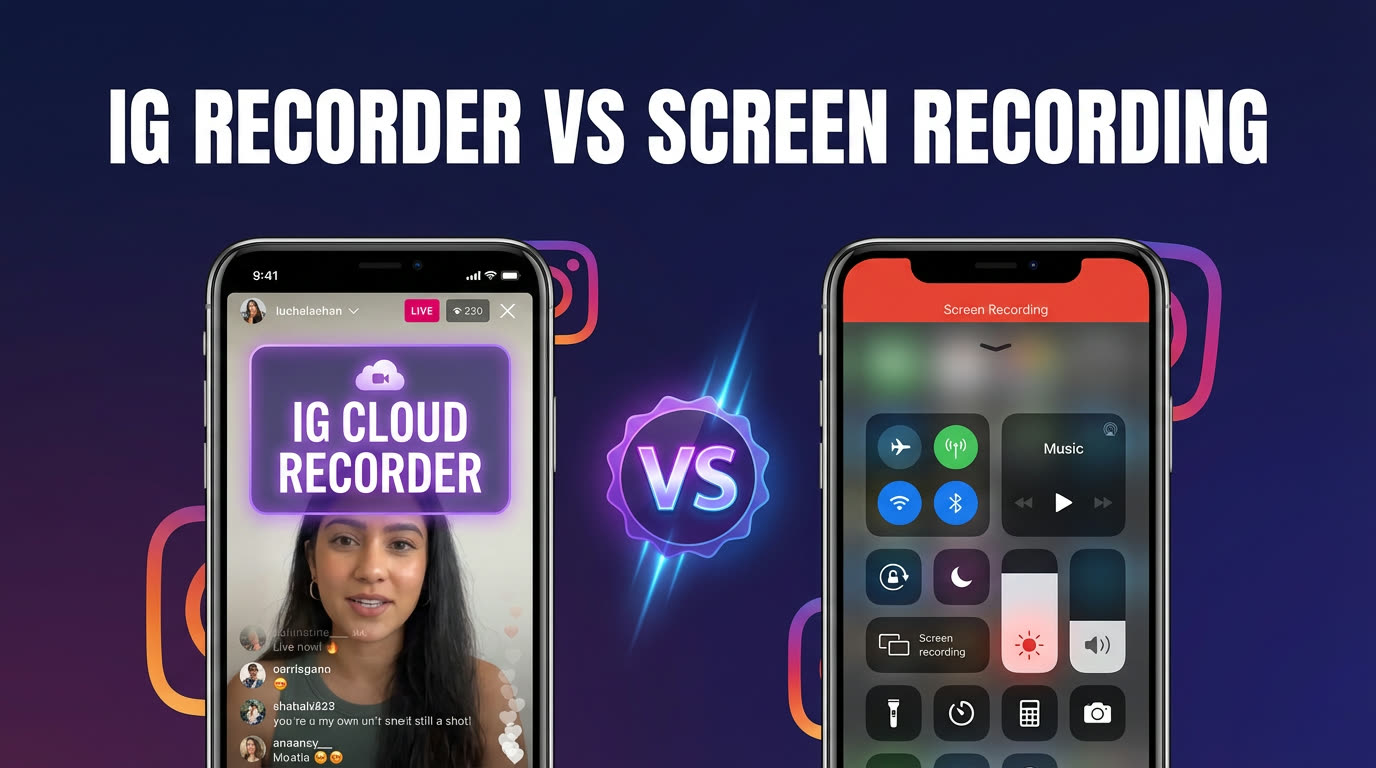
Two Ways to Capture Instagram Lives
Screen recording is the built-in method. iOS has it in the Control Center, Android has it in quick settings, and both work by capturing everything displayed on your phone's screen while you watch the live broadcast. The output is a video file saved to your camera roll.
A dedicated recorder like GREC works from the cloud. You add Instagram creators to your watchlist, and GREC's servers monitor those accounts 24/7. When a creator goes live, the servers capture the broadcast stream directly — your phone never needs to connect to the Live at all. The recording is stored in your GREC library and can be streamed or downloaded later.
The fundamental difference: screen recording requires you to watch the broadcast in real time on your device. A cloud recorder captures it for you automatically, whether you're awake or not.
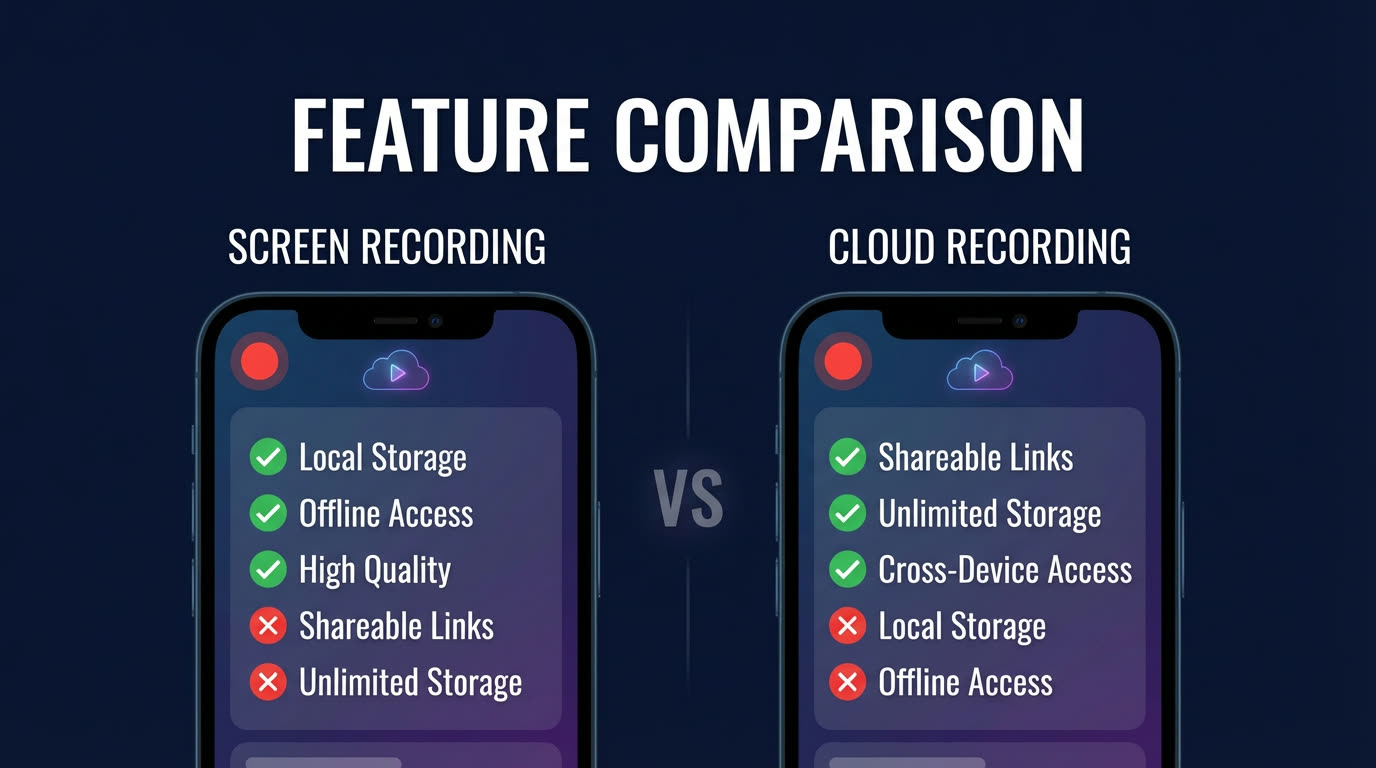
Feature-by-Feature Comparison
| Feature | GREC (Cloud Recorder) | Screen Recording |
|---|---|---|
| Must watch live | No — records automatically | Yes — you must be watching |
| Recording quality | HD (broadcast source quality) | Screen resolution with UI overlay |
| Viewer list visibility | Invisible — account never joins | Visible — username shown to creator |
| Battery impact | None — runs on cloud servers | High — screen on + recording + streaming |
| Storage during recording | Cloud (no device space used) | Local device storage |
| Notifications in recording | No — clean broadcast only | Yes — any popup appears in the video |
| Multiple streams at once | Yes — monitors all tracked creators | No — one screen at a time |
| Works while phone is off | Yes | No |
| Cost | Free tier + Premium from $4.99/week | Free (built into OS) |
| Platforms supported | Instagram + 10 more (TikTok, Twitch, etc.) | Any app on your screen |
Screen Recording Limitations
Screen recording is free and requires no setup, which makes it appealing for one-off captures. But for regular use, the limitations add up fast:
- You have to be there: Screen recording only works while you're actively watching the Live. If you miss the broadcast — because you were sleeping, at work, or just didn't notice the notification — there's nothing to record. There's no "catch up" option.
- Battery and performance: Running a screen recorder while streaming an Instagram Live is one of the most demanding things you can ask your phone to do. The screen stays on at full brightness, the cellular or Wi-Fi radio is pulling the live stream, and the recording process is writing a large video file to storage simultaneously. For a 60-minute Live, expect significant battery drain and noticeable heat.
- Messy output: The recording captures your entire screen, not just the broadcast video. That means the Instagram UI chrome (comments, viewer count, hearts), your phone's status bar (battery, time, signal strength), and any incoming notifications all appear in the final video. A text message or phone call mid-recording will be permanently baked into the footage.
- Single stream only: You can only screen-record one live at a time. If two creators you follow go live simultaneously, you have to choose one and lose the other.
- Local storage pressure: Screen recordings at full resolution consume roughly 1–2 GB per hour. If your phone is low on space, the recording may fail mid-stream or produce a corrupted file.
Dedicated Recorder Advantages
A cloud-based recorder like GREC addresses every limitation listed above:
- Fully automatic: GREC monitors your tracked creators around the clock. When they go live, recording starts within seconds — no manual action needed. You can be asleep, offline, or using a different app entirely.
- Zero device impact: All recording happens on GREC's cloud servers. Your phone's battery, storage, and performance are completely unaffected. You could have your phone turned off and still get a complete recording.
- Clean, broadcast-quality video: GREC captures the source stream directly, producing a clean HD file with just the broadcast content. No UI overlays, no notification interruptions, no status bar — just the video.
- Multiple simultaneous recordings: GREC can monitor and record multiple creators at the same time. If five people you follow all go live at once, you get five complete recordings.
- Cloud storage: Recordings are stored in GREC's cloud library. They don't take up any space on your phone until you explicitly download them. You can stream recordings from the cloud or download selectively.
GREC is trusted by over 300,000 users with a 4.9/5 rating. Get it on iOS or Android.
Privacy: The Biggest Difference
This is the distinction that matters most to many users. When you screen-record an Instagram Live, you must first join the broadcast. The moment you tap in:
- Your username appears in the viewer list.
- The creator sees a "[username] joined" notification.
- Other viewers can see you're watching.
- Your presence is logged for the duration of the broadcast.
The recording itself is invisible to Instagram — the platform can't detect screen recording on Lives. But your attendance is fully visible. For many people, this defeats the purpose of recording privately.
With GREC, your Instagram account never touches the broadcast. Recording happens server-side, so the creator's viewer list doesn't include your name, no join notification fires, and there's zero trace connecting you to the stream. If you want to record Instagram Lives without appearing in the viewer list, GREC is the only option that makes this possible. For more on this topic, see our guide on how to save Instagram Lives.
Setup Comparison
Screen recording setup:
- Open Settings and enable the screen recorder (iOS: Control Center; Android: quick settings).
- Open Instagram and navigate to the Live you want to record.
- Start the screen recorder manually.
- Watch the entire broadcast with your screen on.
- Stop the recorder when the stream ends. File saves to camera roll.
GREC setup:
- Download GREC from the App Store or Google Play.
- Create an account and add the Instagram creators you want to track.
- Done. GREC handles everything from here — monitoring, recording, and storing. You receive a notification when a recording is ready.
Screen recording requires action every time a creator goes live. GREC requires setup once, then runs automatically forever. For anyone following multiple creators or wanting to catch broadcasts they can't watch live, the difference in effort is significant.
When Screen Recording Makes Sense
Screen recording isn't always the wrong choice. It works well in specific situations:
- One-off, spontaneous captures: If you stumble across an interesting Live and want to grab a quick clip, screen recording is faster than setting up any tool.
- Short clips only: If you only need a 2-minute moment from a broadcast, screen recording and trimming the file afterward is perfectly fine.
- Zero budget: Screen recording is free and built into every modern phone. If cost is the only factor, it's always available.
- Non-Instagram content: Screen recording works on any app. If you occasionally need to capture something outside of the platforms GREC supports, it's a universal fallback.
For anything recurring, long-form, or privacy-sensitive, a dedicated cloud recorder is the better tool. For a broader look at saving strategies, see how to rewatch Instagram Lives and how to download Instagram Live videos.
FAQ
Can I use a screen recorder for Instagram Live?
Yes, technically — but a screen recorder for Instagram Live has three hard limits that cloud recording doesn't. First, you must be actively watching: the stream has to be open on your phone the entire time, or the screen recorder captures a black screen. Second, your username appears in Instagram's viewer list from the moment you join. Third, your battery drains fast with the screen on, the app streaming, and the recorder running simultaneously. For occasional use, a screen recorder works fine. For regular tracking of multiple creators — or for privacy — a cloud recorder like GREC is the better option.
Does Instagram detect screen recording?
No. Instagram does not notify creators when someone screen-records a Live broadcast. However, your username is visible in the viewer list from the moment you join the stream. With GREC, neither the recording nor your presence is detectable — your account never joins the broadcast.
Can GREC record multiple Instagram Lives at the same time?
Yes. GREC's cloud servers can monitor and record multiple creators simultaneously. If several people on your watchlist go live at the same time, each broadcast is captured independently. Screen recording is limited to one stream at a time since you can only have one Instagram Live open on your phone.
Is the video quality better with GREC or screen recording?
GREC captures the broadcast stream directly at its native HD resolution, producing a clean video file with no interface elements. Screen recording captures at your phone's screen resolution but includes the Instagram UI, status bar, and any notifications that appear. For pure video quality, GREC produces a notably cleaner result.
What if I only want to record one creator occasionally — is GREC worth it?
GREC offers a free tier, so you can try it without any commitment. Even for a single creator, the automatic recording means you'll never miss a broadcast due to timing or availability. The value increases with every creator you add, since GREC monitors all of them simultaneously without any additional effort.
Can I use both methods together?
Absolutely. Many users run GREC for their regular tracked creators (automatic, always-on recording) and use screen recording as a fallback for spontaneous captures or platforms not yet supported by GREC. The two approaches complement each other well.
Never miss a live stream on any platform
GREC records live streams from TikTok, Instagram, Twitch, Kick, X, and more — automatically in the cloud.