Best BIGO Live Recorder Apps
For most BIGO Live viewers, GREC is the best recorder option. It records automatically in the cloud with HD quality, works across 10+ platforms, requires no manual effort, and leaves no viewer footprint. Screen recording works for quick one-off clips, and desktop capture suits users who need local control — but neither scales for regular BIGO viewing.
If you've searched for ways to save BIGO Live streams, you've probably come across a confusing mix of screen recorders, desktop capture tools, and dubious third-party apps. The reality is that most of these weren't designed for live stream recording. They were built for other purposes and repurposed by users trying to solve a problem that the platforms themselves don't address well. This guide breaks down the three realistic options for recording BIGO streams, compares them honestly, and helps you pick the right one for your use case.
What to look for in a BIGO recorder
Before comparing specific tools, it helps to know what actually matters for BIGO recording. These are the criteria that separate a frustrating experience from a reliable one:
- Automatic recording. Can it record without you being present? BIGO creators go live at unpredictable times, often across different time zones. If you have to manually start every recording, you'll miss most streams.
- Recording quality. Does it capture the actual stream feed or a compressed screen rendering? The difference is significant — especially for music performances and high-motion content.
- Privacy. Does the recording method show your username in the viewer list? On BIGO, viewer presence is highly visible to the broadcaster and audience.
- Multi-stream support. Can it handle multiple simultaneous recordings? If you follow several BIGO creators, overlapping schedules are inevitable.
- Battery and device impact. Does recording drain your phone or require your screen to stay on?
- Replay management. Where do recordings go? Can you search, organize, and re-watch them easily?
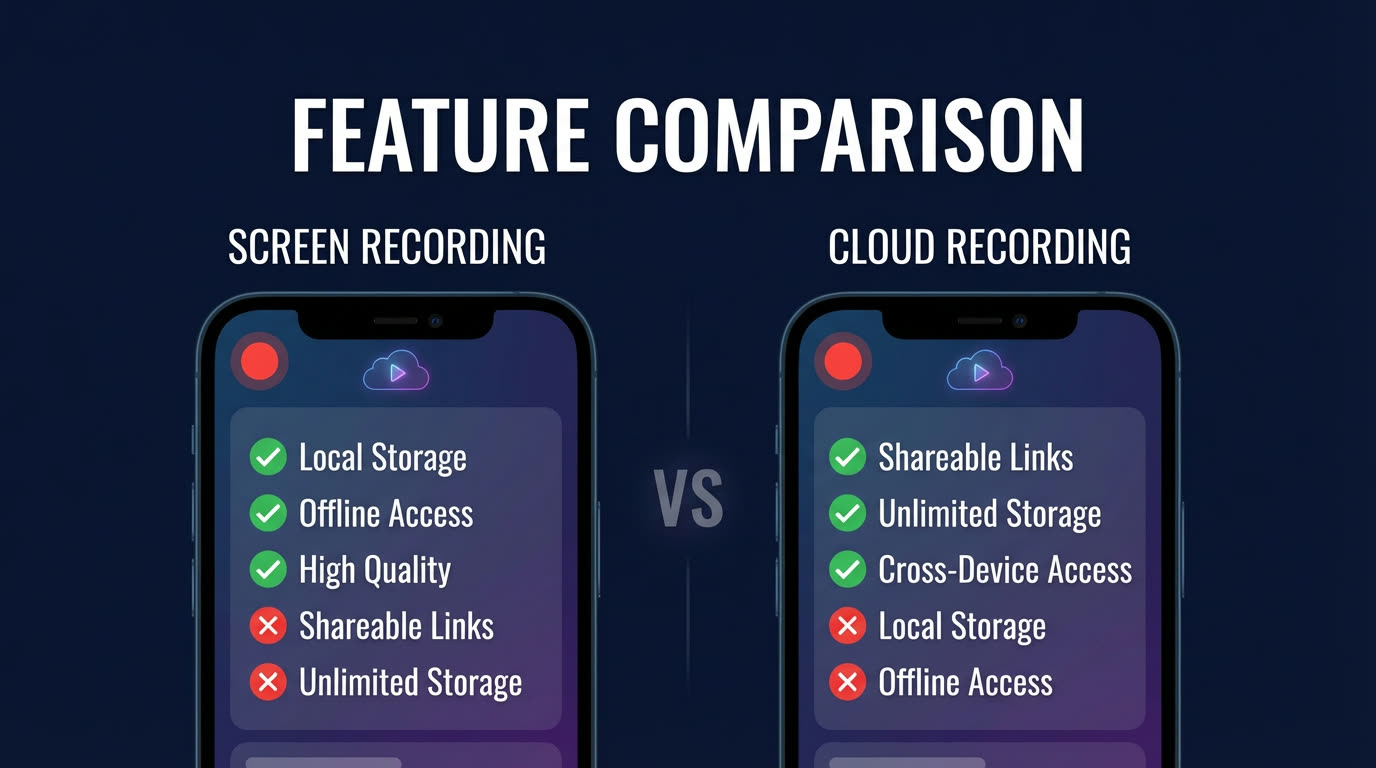
Option 1: Built-in screen recording
Every modern iPhone and Android device has a built-in screen recorder. It's free, requires no installation, and works immediately. For a quick one-off clip of a BIGO stream you're already watching, it's the fastest option available.
How it works: Open BIGO Live, start watching a stream, then activate your phone's screen recorder (Control Center on iOS, Quick Settings on Android). The recorder captures everything on your screen until you stop it.
Limitations: You must be actively watching the stream for the entire duration. Your phone screen stays on, draining battery. Incoming calls, messages, and notification banners get recorded too. The captured video is a compressed version of what's on your screen, not the original stream quality. And critically, your username is visible in the BIGO viewer list the entire time you're recording.
Screen recording is fine for saving a 5-minute highlight from a stream you're already watching. It's not viable for recording full streams, unattended recording, or tracking multiple creators.
Option 2: Desktop capture software
If you watch BIGO on a computer (via the BIGO web player or an Android emulator), desktop capture software like OBS Studio gives you more control. You can set recording quality, choose specific screen regions, and save to your preferred format.
How it works: Open the BIGO stream in a browser or emulator, set up OBS to capture that window, and start recording manually. When the stream ends, stop the recording and save the file.
Limitations: Desktop capture requires a computer running the entire time. You still need to be present to start and stop recording. Setup is more technical — configuring OBS properly takes time, especially for audio routing. Your computer's resources are consumed during recording (CPU, RAM, disk I/O). And you're still watching the stream through a logged-in account, so your viewer presence remains visible.
Desktop capture is a decent option for users who already have OBS experience and only need to record a specific, scheduled stream. It's overkill and impractical for daily use across multiple creators.
Option 3: GREC cloud recorder
GREC is a cloud-based live stream recorder built specifically for this use case. Instead of recording on your device, GREC records on remote servers. You add BIGO creators to your tracking list, and GREC monitors them 24/7. When they go live, recording starts automatically in HD — from the first second, with no action required from you.
How it works: Download GREC from the App Store or Google Play, create an account, search for a BIGO creator, and tap "Add to Auto Rec." That's the entire setup. GREC handles everything else.
Key advantages for BIGO:
- Fully automatic — no manual start/stop needed
- Records while your phone is off or in airplane mode
- HD quality from the actual stream feed, not screen capture
- Zero viewer footprint — your username never appears in BIGO's viewer list
- Records multiple simultaneous streams without conflicts
- No battery drain, no storage consumption during recording
- Organized library with creator-based browsing and download options
- Also supports TikTok, Instagram, Twitch, Kick, X/Twitter, YouTube, Facebook, and more
With over 300,000 users and a 4.9/5 rating, GREC is the most widely used dedicated live stream recorder. Free tier available; GREC Premium starts at $4.99/week for unlimited auto-recording across all platforms.
Feature comparison table
| Feature | Screen Recording | Desktop Capture (OBS) | GREC |
|---|---|---|---|
| Auto-recording | No | No | Yes |
| Works phone off | No | No | Yes |
| HD quality | Limited | Good | HD stream feed |
| No viewer footprint | No | No | Yes |
| Multi-stream | No | Limited | Unlimited |
| Battery impact | High | N/A (PC) | None |
| Cross-platform | BIGO only | Manual per platform | 10+ platforms |
| Cost | Free | Free (OBS) | Free tier / $4.99/wk Premium |
When each option makes sense
Use screen recording when: You're already watching a BIGO stream and want to save a short clip. You don't need automatic recording, and you don't mind appearing in the viewer list. This is the easiest no-setup option for occasional use.
Use desktop capture when: You're technically comfortable with OBS, you have a computer available, and you need to record a specific, scheduled stream with custom settings. This works for one-off recordings where you can be present at the computer.
Use GREC when: You follow BIGO creators regularly and want every stream recorded automatically, without being present, in HD quality, with no viewer footprint. GREC is also the right choice if you follow creators across multiple platforms — it handles BIGO alongside TikTok, Instagram, Twitch, and more in one app. For a step-by-step setup, see our guide to recording BIGO Live streams.
For a broader comparison beyond BIGO-specific tools, check out our best live stream recorder apps of 2026 roundup.
FAQ
What's the single most important feature in a BIGO recorder?
Automatic recording. BIGO creators go live unpredictably, and most viewers can't be present for every stream. A recorder that requires manual start is a recorder that misses most content. GREC's cloud-based auto-recording is the only option that captures streams whether you're awake, at work, or offline.
Is there a free way to record BIGO streams?
Screen recording is completely free and built into every phone. GREC also has a free tier for trying the app. For unlimited auto-recording, GREC Premium is $4.99/week. Desktop capture with OBS is free but requires a computer and manual operation.
Can BIGO detect if I'm recording their stream?
BIGO does not notify broadcasters when someone records their stream, regardless of the method used. The difference between methods is whether you're visible as a viewer. With screen recording or desktop capture, your account is logged in and appears in the viewer list. With GREC, cloud recording leaves no viewer footprint at all — your username never appears anywhere the broadcaster can see.
Can I record BIGO streams and streams from other platforms in the same app?
With GREC, yes. It supports BIGO alongside TikTok, Instagram, Twitch, Kick, X/Twitter, YouTube, Facebook, and more — all from one app with one search bar and one unified library. Screen recording and desktop capture only work with whatever app or window you have open. To understand the full workflow, see our GREC app walkthrough.
Never miss a live stream on any platform
GREC records live streams from TikTok, Instagram, Twitch, Kick, X, and more — automatically in the cloud.