Can You Rewatch Lives You Missed? Here's How
You opened the app too late. The live stream ended five minutes ago — or five hours ago — and now you're wondering if there's any way to watch it back. The short answer: it depends entirely on the platform, and most of them make it harder than it should be.
Every major live streaming platform handles replays differently. Some save them automatically, some leave it up to the creator, and some delete them after a timer runs out. Below is a honest breakdown of what each platform actually offers — and the one method that works regardless of which app you're using.
Platform-by-platform replay availability
TikTok
Replay available? Only if the creator manually saves it.
TikTok doesn't automatically save live streams. When a creator ends their LIVE, it's gone unless they tap the save button before closing out. Even then, the saved video lands on their profile as a regular post — it's not a replay you can scrub through or find in a dedicated "past lives" section. If the creator doesn't save it, there's no built-in way to watch it again. Period.
There's no notification that tells you a replay is available, either. You just have to check the creator's profile and hope they posted it. For more on recording TikTok streams, see our TikTok live recorder guide.
Replay available? Up to 24 hours — if the creator enables it.
Instagram gives creators the option to share their Live as a replay in Stories for 24 hours after the broadcast ends. If they don't toggle that on, the Live vanishes the moment it ends. And even when they do share it, it disappears after 24 hours like any other Story. There's no permanent archive.
Instagram also lets creators post Live videos to IGTV (now Instagram Video), but most don't bother. Realistically, if you miss an Instagram Live, you've got about a day before it's gone for good. Check out our Instagram live recorder page for alternatives.
Twitch
Replay available? Yes — but VODs expire.
Twitch is the most generous with replays, but there's a catch. Streamers can enable VODs (Video on Demand) in their channel settings. Regular streamers' VODs last 14 days. Affiliates and Partners get 60 days. After that, they're deleted permanently.
Plenty of streamers don't enable VODs at all. And even when they do, Twitch's automated audio detection can mute entire sections of a VOD if it flags copyrighted music. So you might get your replay — just with chunks of silence. More details in our Twitch live recorder guide.
Kick
Replay available? Limited.
Kick stores VODs, but the retention period and availability vary. Not all streamers have replays enabled, and the platform is still evolving its VOD system. Clips exist but are short. If the streamer you follow hasn't configured their channel for replays, there's nothing to go back to. See our Kick live recorder page for a reliable workaround.
X (Twitter) Spaces
Replay available? Up to 30 days — if the host enables it.
X Spaces lets hosts toggle on recordings before starting. When enabled, the Space stays available for 30 days after it ends. If the host didn't turn on recording, or if they delete it afterward, there's no way to listen back. X doesn't archive Spaces by default. Our X/Twitter live recorder guide covers this in more detail.
YouTube
Replay available? Usually yes — if the creator allows it.
YouTube is the friendliest platform for replays. When a creator ends a live stream, it typically converts into a regular YouTube video on their channel automatically. However, creators can choose to unlist or delete the stream after it ends. Some also set streams to "members only," which locks out non-subscribers. It's the best default behavior of any platform, but it's still not guaranteed.
Replay available? Sometimes.
Facebook Live videos usually stay on the creator's Page or profile as a regular video post. But this depends on the creator's settings and whether they decide to keep it up. Lives in private groups may only be visible to group members. And creators can delete the post at any time. It's unreliable if you're counting on rewatching something specific.
The bottom line
Across every platform, you're dependent on two things: the creator's settings and an expiration timer you don't control. If you actually care about catching a live stream you missed, relying on platform replays is a gamble.
The universal solution: GREC
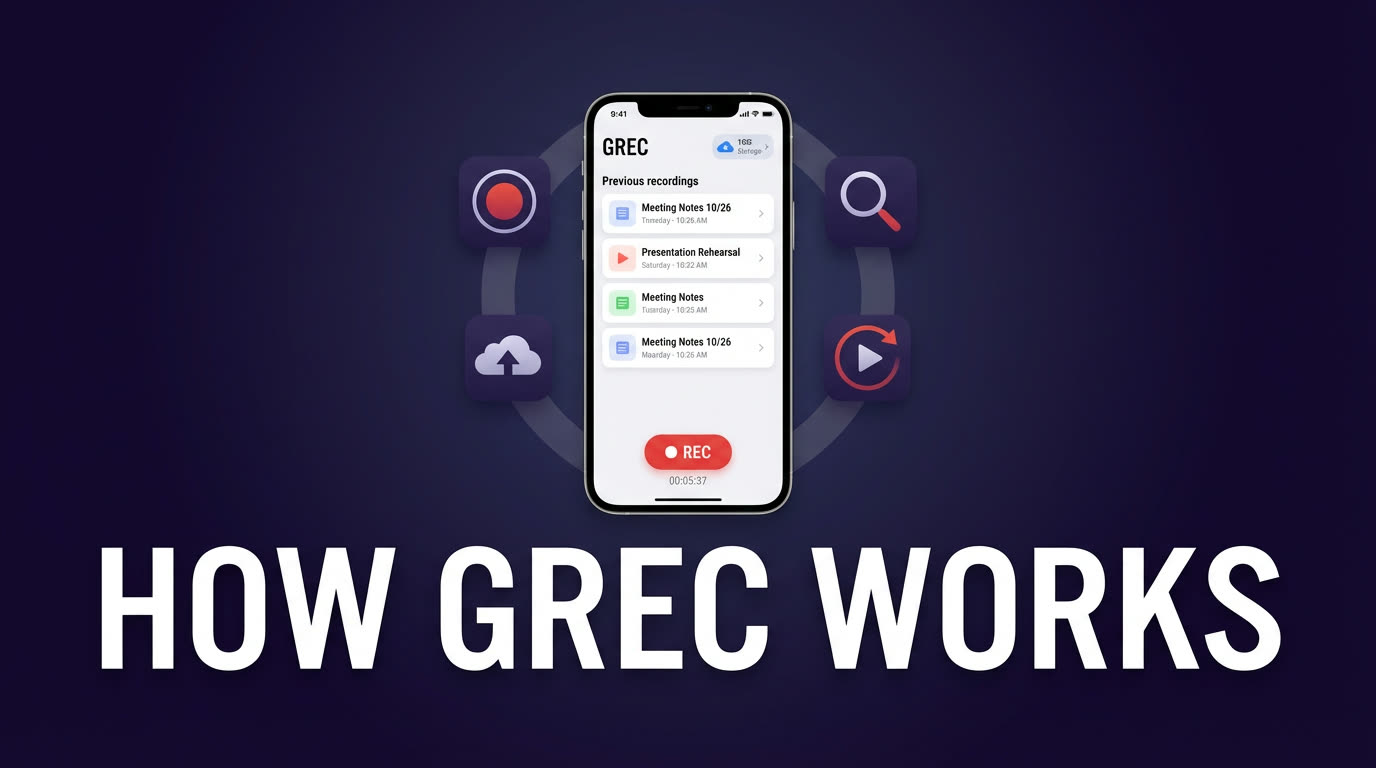
Here's the thing — you don't need to memorize each platform's replay rules or hope a creator remembered to hit "save." GREC is a cloud-based live stream recorder that works across TikTok, Instagram, Twitch, Kick, X/Twitter, and more. It records streams automatically on remote servers, so you don't have to be watching — or even awake — when someone goes live.
With over 300,000 users and a 4.9/5 rating, it's built specifically for the problem this article is about: you missed a live stream and you want to watch it later.
What makes GREC different from platform replays:
- Works across 10+ platforms — one app covers TikTok, Instagram, Twitch, Kick, X/Twitter, YouTube, Facebook, and others. No need to check each platform's replay policy.
- Fully automatic — add a creator once and GREC monitors them 24/7. When they go live, recording starts in the cloud without you doing anything.
- No expiration — your recordings don't vanish after 14 days or 24 hours. They're yours.
- Works with your phone off — recording happens on GREC's servers. Your phone can be off, in airplane mode, or across the room.
- HD quality — captures the actual stream feed, not a screen recording of compressed video.
- From the first second — no missed intros. GREC catches the stream from the moment it starts.
Pricing: Free tier available. GREC Premium starts at $4.99/week with unlimited auto-recording across all platforms.
How to set up GREC
Getting started takes about two minutes:
- Download GREC from the App Store or Google Play.
- Create an account — sign up with email, Google, or Apple.
- Search for any creator — type their username from any supported platform (TikTok, Instagram, Twitch, Kick, X, etc.) and tap "Add to Auto Rec."
- That's it — GREC monitors that creator 24/7. When they go live on any platform, recording starts automatically in the cloud.
- Watch or download later — you'll get a push notification when the recording is ready. Stream it in-app or download in HD.
You can add creators from multiple platforms and GREC handles them all in one place. No switching between apps, no checking replay availability, no timers counting down.
Privacy and viewer footprint
One thing people don't think about until it matters: when you watch a live stream on any platform, your username shows up. You're in the viewer list, you're part of the viewer count, and the creator can see you were there.
GREC's cloud-based recording leaves no public trace. Because the recording happens on remote servers — not through your personal account on any platform — there's no viewer footprint. Your username never appears in chat, in the viewer list, or in any analytics the creator can see. It's completely private viewing.
This matters if you're catching up on a competitor's stream, watching someone's content without wanting to interact, or simply prefer to keep your viewing habits to yourself.
FAQ
Can I rewatch a TikTok Live after it ends?
Only if the creator saved it as a video on their profile. TikTok doesn't store live replays automatically. If they didn't save it, the only way to watch it is if you (or someone) recorded it during the broadcast. GREC handles this automatically — add a TikTok creator and every live gets recorded in the cloud, whether you were watching or not.
Why did an Instagram Live replay disappear?
Instagram Live replays are shared as Stories, which expire after 24 hours. If the creator didn't share it to Stories, or the 24-hour window passed, the replay is gone. Creators can also post the Live to their video feed permanently, but most don't. GREC records the live as it happens, so the 24-hour limit doesn't apply to your copy.
Does the streamer know if I record their live?
No platform notifies streamers when someone records their live stream — whether that's via screen recording or a tool like GREC. The difference is that screen recording still shows your username in the viewer list. With GREC, cloud-based recording leaves no viewer footprint at all. The streamer has no way to know you recorded or watched the stream.
Is GREC free?
GREC has a free tier that lets you try it out. For unlimited auto-recording across all platforms, GREC Premium starts at $4.99/week. Given that it replaces the need to manually check replays on half a dozen apps, most people find it worth it pretty quickly.
What platforms does GREC support?
GREC supports 10+ live streaming platforms including TikTok, Instagram, Twitch, Kick, X (Twitter), YouTube, Facebook, and others. You can manage creators from all of them in a single app. Check the full platform list for details.
Never miss a live stream on any platform
GREC records live streams from TikTok, Instagram, Twitch, Kick, X, and more — automatically in the cloud.